Fixing Common Application Problems
Most teachers who do not finish their application stop at one of two places: just after creating the account, or at the recordings step. This page explains how to get past each problem. For the full walk-through, see How to Apply.
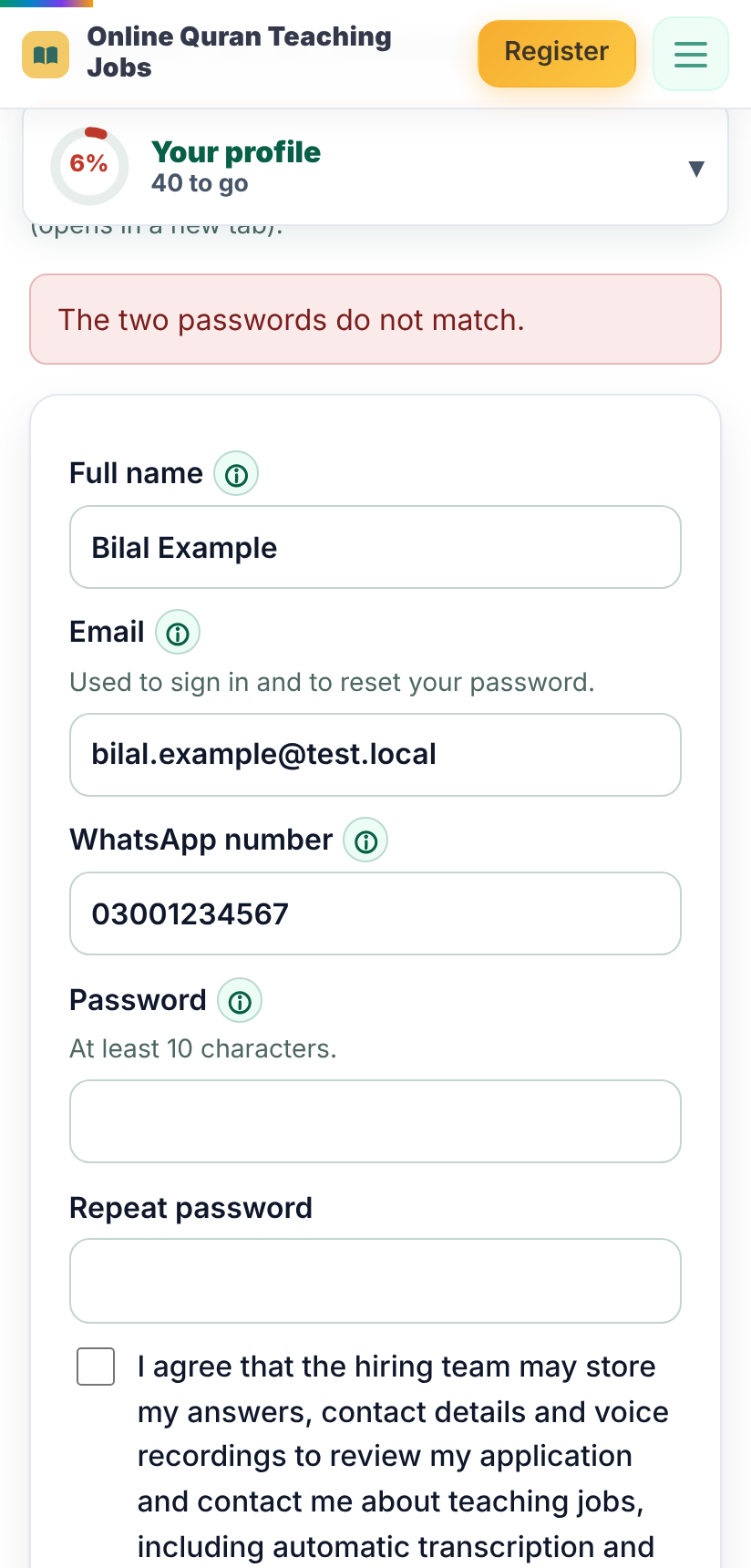
1. I cannot create my account
- “The two passwords do not match”: type the same password in both boxes. It must be at least 10 characters.
- WhatsApp number refused: Pakistani numbers can be written as
03001234567. Numbers outside Pakistan need the country code, for example+44…. - “Already registered”: you already have an account. Use Sign in or Forgot password.
- Tick the privacy consent box. It is required.
2. I cannot sign in or forgot my password
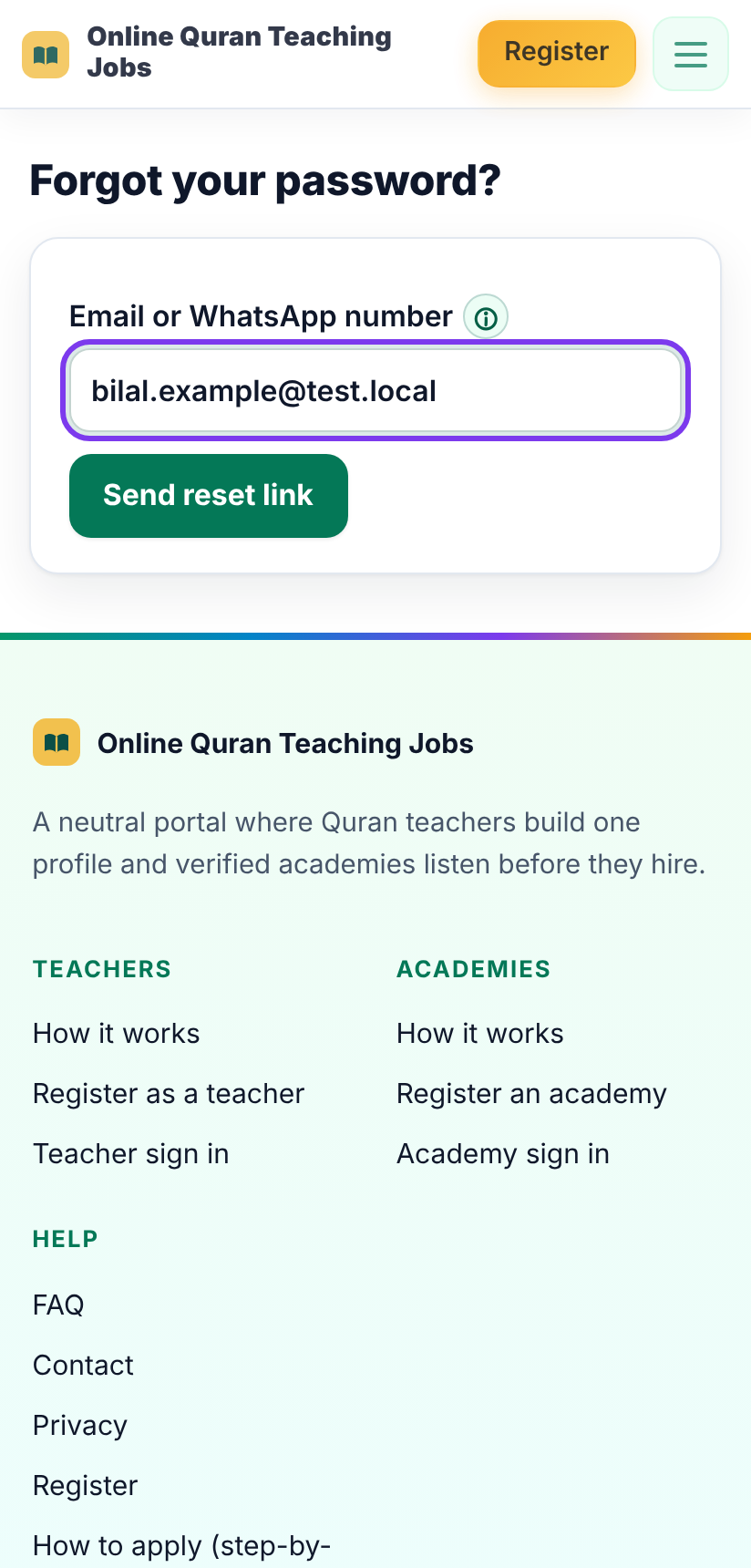
- You can sign in with either your email or your WhatsApp number.
- Forgot your password? Open Forgot password, enter your email or WhatsApp number and tap Send reset link. The email link works for 1 hour. Check Spam and Promotions too.
3. Step 1 will not save
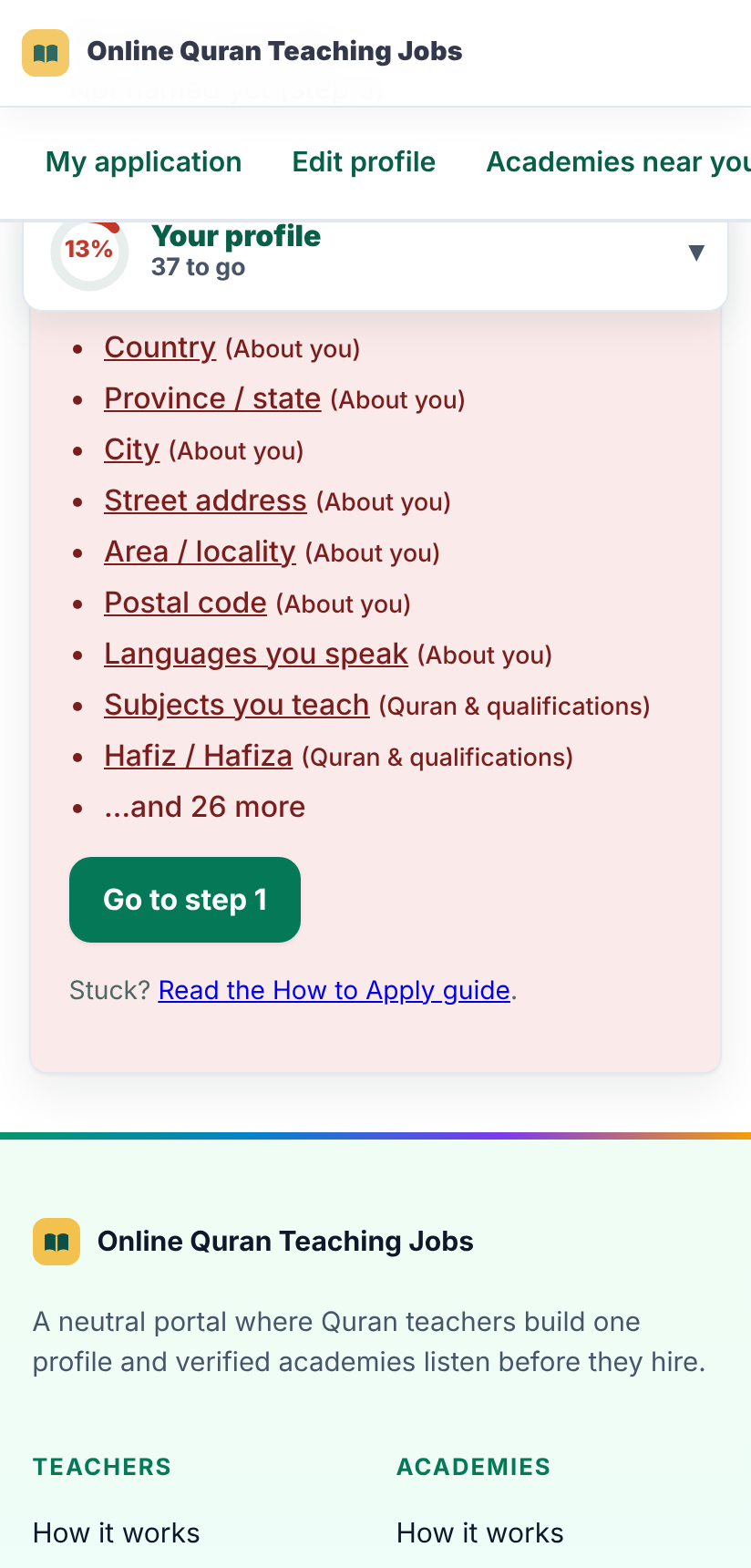
Look for the box outlined in red. In Pakistan: choose Province, District/City, Tehsil/Town/Area (or Other to type a village/area), street address, and add your map pin (required in Pakistan; postal code is optional). Outside Pakistan: choose your country — no physical address or map pin is needed.
4. Step 5 says incomplete
Step 5 needs three things. Check the panel at the top of the page:
- Tilawat recording saved (you tapped Save recording and saw ✓ Saved).
- English introduction saved.
- Surah and ayat you recited saved with Save passage.
On Step 6 the portal lists exactly what is still missing, with a link to each item.
5. Microphone or upload errors
- “Microphone is blocked inside this app browser”: open the page in Chrome (Android) or Safari (iPhone).
- “Microphone access was blocked”: allow the microphone in your browser settings, then reload.
- “Your microphone is busy in another app”: end the WhatsApp or phone call and tap Record again.
- “That take was only X seconds”: record for at least 20 seconds.
- File too large / unsupported: use a file under 4 MB in m4a, mp3, webm, ogg, opus or wav format.
- “Your session expired”: reload the page and sign in again, then save the recording.
Step-by-step fixes with screenshots: How to Record Your Tilawat and English Introduction.
6. I cannot find the Submit button
The Submit application button appears on Step 6 only when Steps 1–5 are complete. Fix the items in the missing list, then come back to Step 6, tick the confirmation box and tap Submit application. Until you submit, the hiring team does not review your profile.
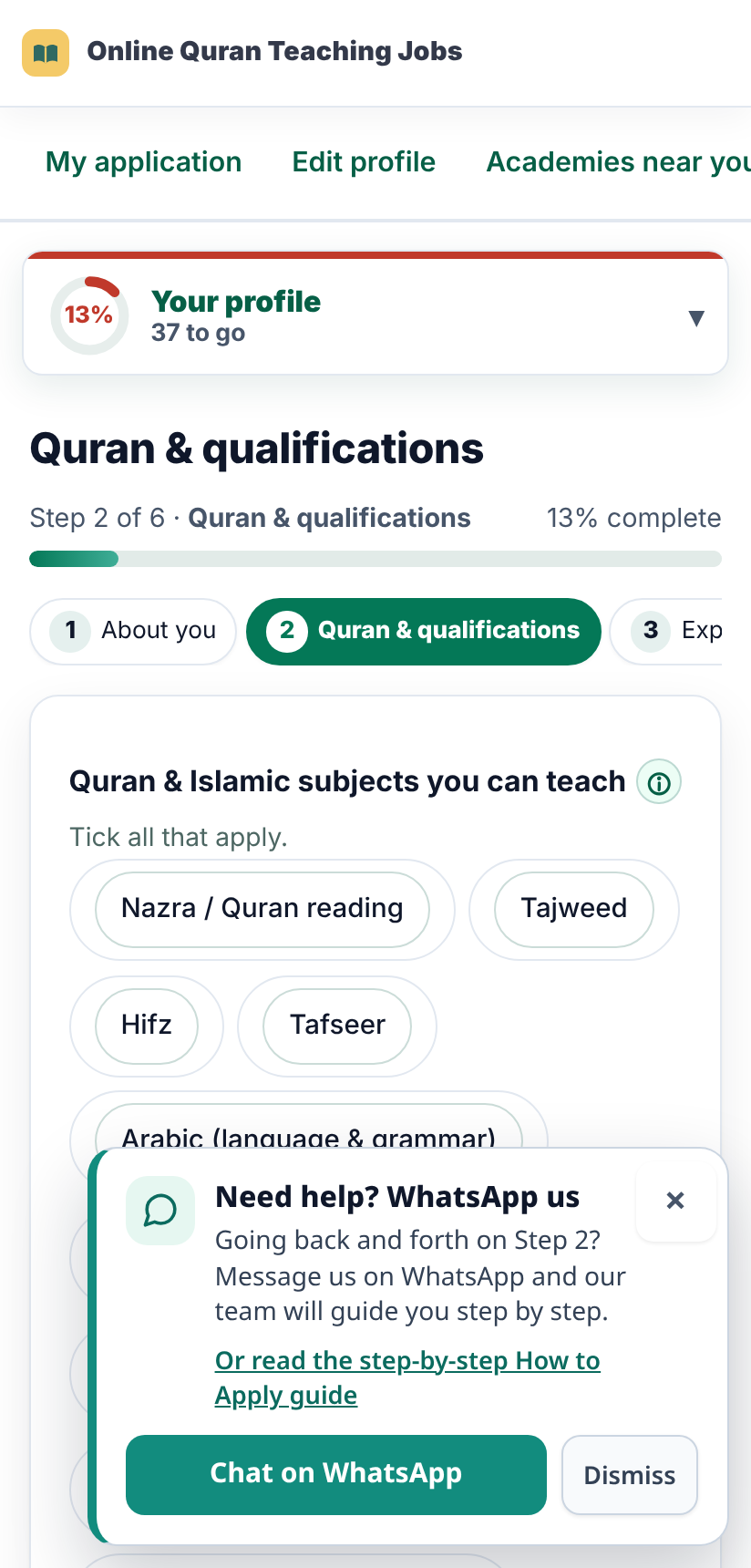
If something on the form is not working, message our team on WhatsApp at +1 929-529-8312 and tell us which step you are on. We help you fill the form; applications themselves are only accepted on the portal at apply.onlinequranteachingjobs.com. Inside the portal, a small “Need help? WhatsApp us” box may also appear if you seem stuck.
FAQ
Is there any fee to apply?
No. Registering and applying are free. Never pay anyone to apply for you.
Can I apply by sending voice notes on WhatsApp?
No. Applications are only accepted on the portal at apply.onlinequranteachingjobs.com. On WhatsApp we can help you fill the form.
Can I finish my application later?
Yes. Every step saves when you tap Save and continue, and each recording saves when you tap Save recording. Sign in any time to continue. We do not send reminders, so please come back and submit.
Do I need a laptop or UPS to apply?
No. On Step 4 you can answer Can arrange or Not yet. That does not stop you from submitting.
I only have madrasa education. Can I apply?
Yes. Choose Madrasa education only and, if needed, No formal certificate on Step 2.
Which surah should I recite?
Any passage you know well, up to 50 ayat. Name the exact surah and ayat and tap Save passage.
Is my English score final?
No. The English and Quran word-match scores are automatic estimates. A person on the hiring team listens to both recordings before deciding.
When will I see my scores?
After you submit, on your dashboard under Your recording scores, once they are ready.
Who can see my phone number and address?
Only the hiring team. Verified partner academies see your profile and recordings (if you allow it), but your phone, WhatsApp, email and street address stay hidden unless the hiring team approves a request.
Can I change my answers or re-record after submitting?
Yes. Sign in and edit any step or re-record. The hiring team is told that you made changes.
How do I delete my account?
Sign in, open Account from the top menu and follow the delete option.
What happens after I submit?
Your status shows Submitted — waiting for review. If you are shortlisted, the hiring team contacts you on your WhatsApp number or phone.